




The next step in integrating Objective Edit is to add the appropriate Objective Edit classes to your project. There are two ways to do this, depending on whether you are using SECEditView or SECEditCtrl.
When using SECEditView:
Add an SECEdit object, m_Edit, to your CDocument class.
Change the derivation of your class from CView to SECEditView. To do this, replace all occurrences of CView with SECEditView in the .h and .cpp files for your view class.
You must also add a method to your view class, SECEdit* GetEdit, which returns a pointer to the SECEdit object added in Step1.
When using SECEditCtrl:
Add an SECEditCtrl or derivative member to your dialog class:
m_SECEditCtrl
In the dialog editor, place an edit control, and make a note of the ID:
IDC_SECEDITCTRL
In the dialog's OnInitDialog(), call the Initialize() member function:
m_SECEditCtrl.Initialize(IDC_SECEDITCTRL, this);
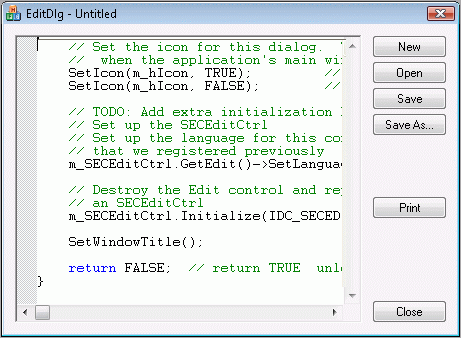
Note that this procedure destroys the Edit Control and replaces it with an SECEditCtrl window, as shown in Figure 12. However, you may use the ClassWizard to handle EN_SETFOCUS and EN_KILLFOCUS, since these notifications will be sent.


Copyright © Rogue Wave Software, Inc. All Rights Reserved.
The Rogue Wave name and logo, and Stingray, are registered trademarks of Rogue Wave Software. All other trademarks are the property of their respective owners.
Provide feedback to Rogue Wave about its documentation.