Tests
Tests allow P4 Code Review to trigger external automated systems, such as CI pipelines, at specific points in the review process. Each test is defined as an HTTP endpoint that P4 Code Review can call. Tests can run automatically when a review is created or updated, or they can be launched manually depending on workflow settings
Test requests support URL, JSON, and XML formats and can include special arguments that provide review‑specific information to your CI system. Multiple tests may be defined, and any review may run a set of one or more tests. Test results returned by the external system are displayed directly in the review.
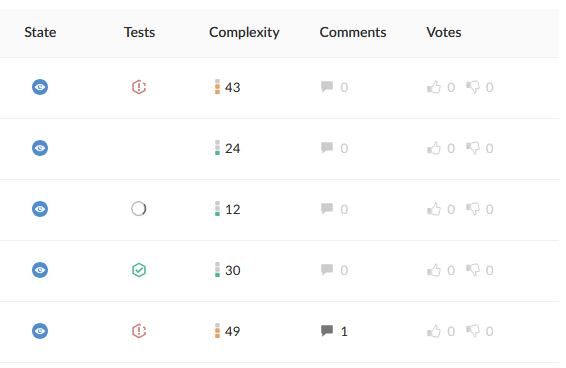
Tests and Workflows
Tests are closely tied to workflows. A workflow determines when a test runs and whether it is triggered automatically or manually.
-
Add a test to a Workflow to run it whenever a review in that workflow is created or updated.
-
Add a test to the Global Workflow to ensure it runs for all reviews, including those outside any project.
This ensures consistent automated testing across teams and projects.
Access and Ownership
Any P4 Code Review user can create test definitions.
Shared tests are visible to all users and may be added to workflows by users with workflow‑editing permissions. Users may view their own tests and any shared tests
Viewing Tests
To view the list of available tests, click Test in the left navigation panel. To view details for a specific test, click its name.
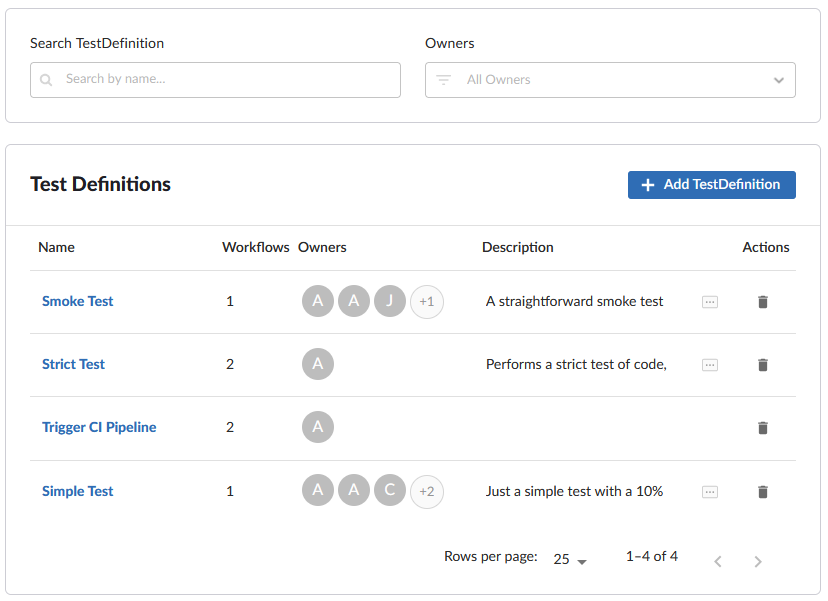
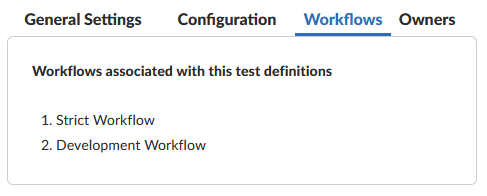
The Workflows column displays how many workflows the tests are associated with. To view which workflows exactly:
-
Click on the Test to view in more detail.
-
Click the Workflows tab.
-
View the Workflows the Test is associated with.
Related Tasks
-
Add a test – create a new test definition.
-
Edit a test – modify an existing test.
-
Delete a test – remove an unused or obsolete test.
-
Add a workflow – configure automated execution rules.
-
Global workflow – enforce testing across all reviews.