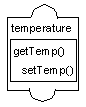
Script
The Script accessor () class lets you program the behavior of your prototypes using the scripting language interpreter included in Views Studio.
A Script accessor has two parameters, which are the names of script functions:
-
The set function is called when the value of the accessor is changed. It must be of the form:
function SetX(obj, newval)
{
...
}
The obj argument is the prototype associated with the accessor. The newval argument is the new value that has been assigned to the attribute.
-
The get function is called when the value of the accessor is queried. It must be of the form:
function GetX(obj)
{
...
return(val);
}
The obj argument is the prototype associated with the accessor. The function must return a value, which becomes the new value of the attribute.
In the functions associated with a Script accessor, you can access and modify any prototype attribute or a prototype node. Either one of the two function names of the Script accessors can be none, in which case no function is called.
The functions associated with a Script accessor can be edited using the Views Studio Script Editor. They will be saved in a file with a .ijs suffix in the same directory and with the same file name as the prototype. Otherwise, they are saved in the prototype file or its library file.
Parameters
-
Script function (set): The name of the script function to execute when the attribute is changed.
-
Script function (get): The name of the script function to execute when the attribute is queried.
-
The type is determined by the value returned from the set function or taken as a parameter by the get function. It can, therefore, change dynamically.
Examples
The following function can be used to perform an action similar to a Condition accessor:
function SetTemperature(obj, temperature)
{
if(temperature > obj. threshold) {
obj.gauge.foreground = "red";
} else {
obj.gauge.foreground = "blue";
}
}
function GetTemperature(obj)
{
return obj.gauge.foreground;
}