Launching Data Access
To launch Data Access on a Microsoft windows platform, select Perforce>VIEWS. With Data Access, it is no longer necessary to use dbstudio to design your application. You can use studio (the ivfstudio program) and load the Data Access plug-ins. Data Access provides the following plug-ins:
dbmdstud: Data Access gadgets and tools - Views Data Access license needed
dbmdsql: Data Access SQL gadgets - Views DB Link license needed
dbmdgrap: Data Access grapher gadgets - specific license
dbmdgant: Data Access Gantt chart gadgets -specific license
dbmdchart: Data Access chart gadgets - specific license
dbmdchart30: old Data Access chart gadgets
dbmdinform30: old Data Access gadgets
However, if you want to use dbstudio, you must have a license for the Manager package and install it. After this installation, you can go to the dbstudio directory (bin/dbstudio) to compile it.
The Main window and the Palettes panel appear.
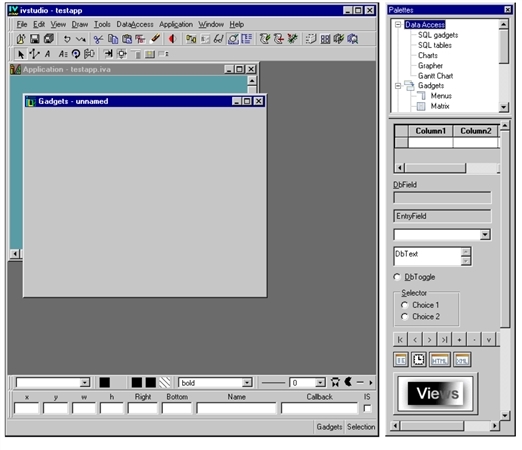
Data Access Start-up Windows
See the section Main Window and Palettes Panel for descriptions of these windows.