Options Dialog
Clicking the Options button on any screen launches the Options dialog.
On this page:
Advanced Options
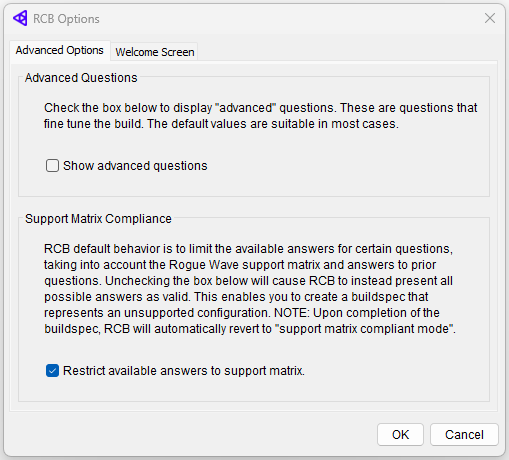
The Advanced Options tab specifies your preference concerning RCB’s use of Advanced Questions and Support Matrix Compliance.
Advanced Questions
Advanced questions control fine details about your build options. The default values provided are suitable in most cases. To review and change the default values, click Show advanced questions.
Support Matrix Compliance
The option Restrict available answers to support matrix lets you choose either to have RCB grey out answers that fall outside the support matrix or to make all answers selectable.
The automatic default is Restrict available answers to support matrix. RCB greys out all unsupported answers and displays a warning if you select one of the greyed-out options and then attempt to exit that screen. This forces you to create a fully supported buildspec.
If the option Restrict available answers to support matrix is not selected, all questions are displayed and all answers are selectable, allowing you to create a buildspec for an unsupported configuration.
If you choose to create unsupported builds, RCB does not stop you. This option is intended to let you create a buildspec for a build configuration not specifically certified by Rogue Wave.
If you do choose to create unsupported builds, we recommend that you also select the option Advanced Questions. For unsupported builds, dependency checking is turned off, so you should consider carefully all build options that may affect your unsupported build. Having Advanced Questions turned on ensures that you will see all options.
Support Matrix Compliance Warnings:
Because disabling support matrix compliance creates a risk that the configuration will not build cleanly, a number of warning signs are posted.
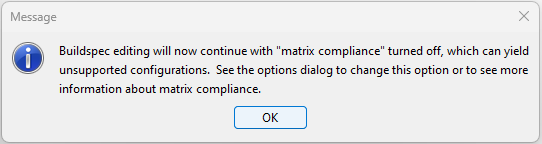
If matrix compliance is turned off before you begin to specify build options, you will see a dialog warning when you enter the build options screen.
From the time you turn off matrix compliance, a warning banner appears above each question in the question sequence.

An icon ( ) appears next to each item in the question list that was answered while the support matrix checking was deactivated. The icon appears regardless of whether or not a given answer is matrix-compliant.
Welcome Screen
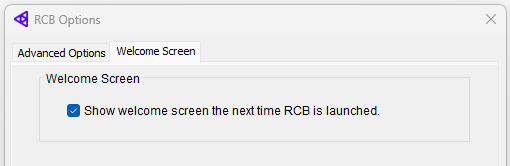
The Welcome Screen tab allows you to specify whether the RCB welcome screen, as seen below, is displayed whenever RCB is activated.
If you deselect the option Show welcome screen the next time RCB is launched, the welcome screen will never be launched when RCB is activated.