P4 One 2026.1 release notes
Released: March 2026
Learn about new features, enhancements, and bug fixes in each P4 One release.
For a list of known issues in the current version of P4 One, see Known issues.
On this page:
Reduced loading time for workspaces
Opening large workspaces with hundreds of thousands of files is now significantly faster. Initial wait time has been reduced by loading workspace metadata in the background, allowing you to browse, open, and edit files immediately while the remaining data continues to load.
Depending on your computer's hardware and operating system, detecting local file changes should take 15-30 seconds. To learn more, see Performance benchmarks. If you experience longer wait times, verify that no other processes, such as antivirus scans, are interfering with P4 One and contact Perforce Support for help.
New version layout
As part of the loading improvements, the P4 One layout has changed:
-
The file view now shows the state of the files on disk, rather than the state of the version selected in the timeline.
-
Versions listed in the timeline can no longer be selected.
-
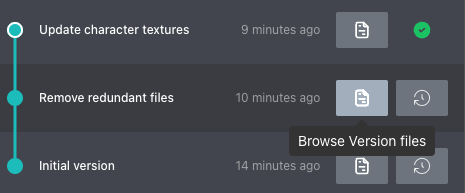
To see changes between local versions, click Browse Version files next to a version in the timeline.
Other enhancements
-
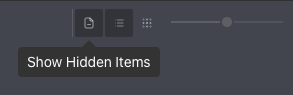
Show or hide hidden files in the file view by clicking Show Hidden Items.
-
When filtering the file view, it now shows full file paths to distinguish files with the same name in different directories.
Bug fixes
-
P4 One crashed if the user's P4 license was expired.
-
Submitting and squashing versions from the Pending Changelists tab did not update the timeline in the Local Changes tab.
-
Navigating through directories in a workspace did not display the correct breadcrumbs in the address bar.
-
Clicking Preview on a text file loaded a diff instead of a file preview.
-
Syncing hidden files caused P4 One to report a deleted empty directory.