Reconcile a version to create a pending changelist
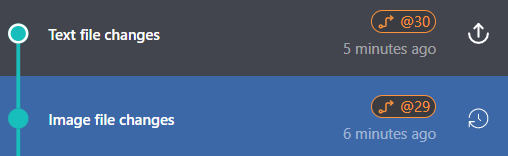
To manually create a pending changelist, reconcile a local version. This can be useful for separating work on files in the workspace that you do not want to submit to the P4 Server at the same time. For example, if your work involves modifying text files and image files, you might want the text file changes in one changelist and the image file changes in another changelist.
You can only reconcile a version once to create a changelist.
-
In the timeline, select the current version. If Current changes is displayed, create a version. To learn more, see Create a version.
-
Right-click the version and select Reconcile Version.
The local version is reconciled and a new pending changelist is created. A badge with the pending changelist number is displayed on the version in the timline. Mouse over the badge to view information.
To learn more about working with pending changelists, see Work with pending changes to submit to the P4 Server