Create and update reviews
Use P4 Code Review to create reviews, update review content, and manage the files associated with a review.
Reviews are typically created from a changelist, updated as work progresses, and eventually approved, rejected, archived, or committed depending on the review model.
Review content can also be expanded or modified by adding changelists, updating shelved files, or replacing review content with a different changelist.
On this page:
Review creation and updates
You can create reviews from:
-
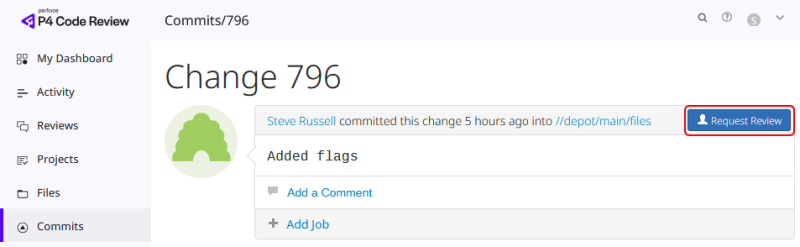
P4 Code Review (from the commits tab).
-
P4 command-line tools.
-
Integrated clients such as P4V.
After a review is created, you can:
-
Update review files.
-
Update review descriptions.
-
Add reviewers and required reviewers.
-
Add changelists to the review.
-
Use work-in-progress tags to pause review updates while changes are still being developed.
To learn more about authors, reviewers, required reviewers, and review approvals, see Reviewers and approvals.
Working with review content
Review content can evolve throughout the review process. Depending on your workflow, you can:
-
Add additional changelists to a review.
-
Append files to an existing review.
-
Replace review content with a newer changelist.
-
Fetch review files into your workspace.
-
Revert review content to an earlier review version.
-
Remove files from a review.
To learn how review content changes over time, see Advanced concepts.
Learn more
Use the following pages to learn how to create and update reviews:
-
Add changelists - Append or replace changelists and understand how review content changes affect reviewers, branches, and workflows.
-
Work with shelves and review files - Fetch review files, manage shelves, remove files, revert review content, and repair incorrectly updated reviews.
-
Review process examples - For worked examples that demonstrate common review scenario.