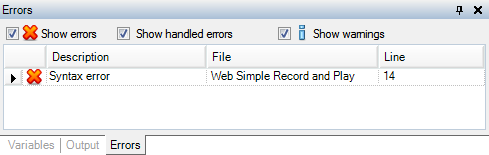
Displays script syntax errors and errors and warnings that occur during script playback. Each error identifies the script line number where the error occurs. You can select to show only errors, only warnings, or both.
Errors and warnings may include hints for resolving playback issues. Some hints include links to controls in the application repository or dialog boxes where you may be able to resolve the issue.
Tip: Right-click the error and choose Copy to copy the error information. This is helpful if you want to add the information to a Helix ALM issue or email it to another team member.
You can filter the information displayed in the Errors pane.
Note: You can use the call stack to trace function calls to the point when an error occurred. Choose View > Call Stack to display the stack information.
    |

|