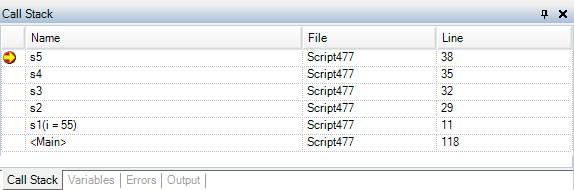
Displays the stack of function calls made until an error or breakpoint occurs. The function and arguments, script, and script line number are displayed, which can help you trace functions completed before an error occurred and view the script you are working in when using the stack to debug scripts.
Note: You can also use the GetCallStack statement in scripts to retrieve stack information.
Double-click a call stack line to go to the corresponding script step.
Tip: To copy the call stack information, right-click the call stack and choose Copy. This is helpful if you want to add the information to a Helix ALM issue or email it to another team member.
    |

|