Manage protected Property Sets
Overview
You can add protection to new and existing property sets, as well as remove protection from existing property sets.
Once you add protection to a property set you can manage the permissions for groups and users.
Check out Protected Properties to learn more about protected property sets and permissions.
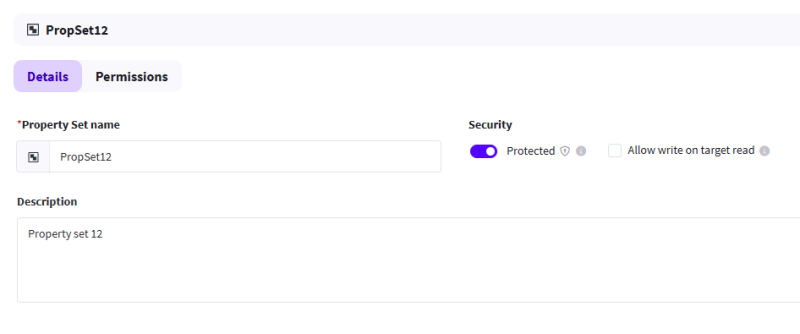
Protect a new Property Set
-
Navigate to Administration > Property Sets.
-
Select Create.
-
Enter all the relevant details for the Property Set.
-
Select the Protected toggle to enable protection.
-
Select Create to create the protected Property Set.
-
Select Add Users & Groups.
-
Toggle between Groups and Users, then check the box next to the groups or users you want to add.
-
Select Add to list.
-
Select permissions for each group or user you added.
-
Select Update permissions to finish.
Protect an existing Property Set
-
Navigate to Administration > Property Sets.
-
Select an existing Property Set.
-
Select the Protected toggle to enable protection.
-
Select Update details to add protection.
-
Select Permissions.
-
Select Add Users & Groups.
-
Toggle between Groups and Users, then check the box next to the groups or users you want to add.
-
Select Add to list.
-
Select permissions for each group or user you added.
-
Select Update permissions to finish.
Remove protection from a Property Set
Disabling the protected control will remove any configured permissions on that property set.
-
Navigate to Administration > Property Sets.
-
Select an existing Property Set.
-
Select the Protected toggle to disable protection.
-
Select Remove to confirm.
-
Select Update details to finish.