Manage protected Properties permissions
Overview
You can add, edit, and remove permissions for groups and users on each property set you protect. Determine whether groups or users have read, write, or owner permissions.
For more specific information about permissions, check out the Permissions section of the Protected Properties Overview.
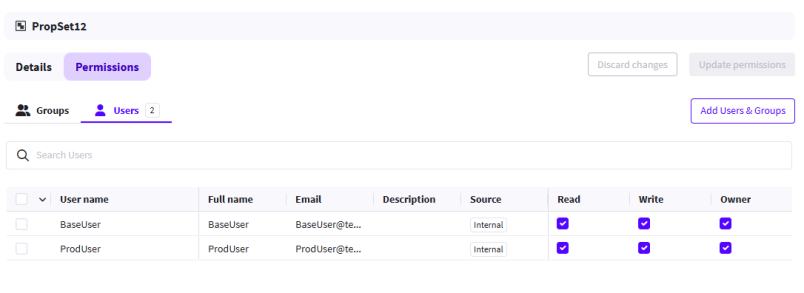
Add Permissions to a Property Set
-
Navigate to Administration > Property Sets.
-
Select an existing Property Set.
-
Select Permissions.
-
Select Add Users & Groups.
-
Toggle between Groups and Users, then check the box next to the groups or users you want to add.
-
Select Add to list.
-
Select permissions for each group or user you added.
-
Select Update permissions to finish.
Edit Permissions of a Property Set
-
Navigate to Administration > Property Sets.
-
Select an existing Property Set.
-
Select Permissions.
-
Select or deselect permissions for each relevant group or user.
-
Select Update permissions to finish.
Bulk edit Permissions of a Property Set
-
Navigate to Administration > Property Sets.
-
Select an existing Property Set.
-
Select Permissions.
-
Select relevant groups or users you want to bulk edit permissions for.
-
Select or deselect permissions in the Bulk permissions modal.
-
Select Update permissions to finish.
Remove group or user from permissions list
-
Navigate to Administration > Property Sets.
-
Select an existing Property Set.
-
Select Permissions.
-
Select the relevant group or user you want to remove from the permissions list.
-
Select Remove, then select Remove to confirm.