How to Clear the Connection History
On Windows®, the connection panel saves a history of the Server and Host names in the Windows registry so that they are available the next time you run Server Studio. If you want, you can clear the list from the registry. To do so:
-
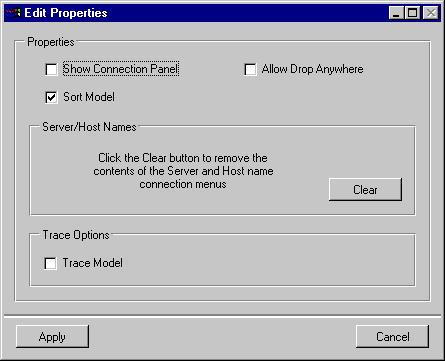
Choose Session Properties from the Edit menu.
The Edit Properties dialog box appears.
-
Click on the button Clear to remove the history from the registry.
| Note
On UNIX®, the Clear button does not exist because there is no registry. |


