Selecting a Document Type
The first step in creating a new application is to select the document type. When you begin a New application, the Select a document type dialog box appears:
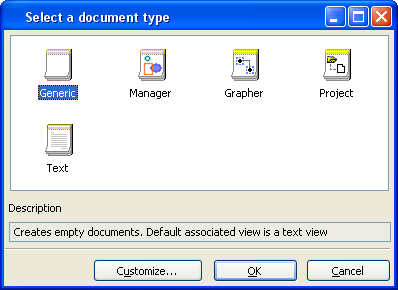
Select a Document Type
Several predefined types of documents are made available. Each type of document defines convenient methods for manipulating its data and is preassociated with a specific view.
The document types are described further in Selection of Document Type.
|
Document Type |
Use To: |
Description |
|
|
The Generic document type does not make any assumptions about the typeof document. This is the choice for most applications. |
|
|
|
The Manager document type deals with IlvGraphic objects inserted in an IlvManager object. |
|
|
|
The Grapher document type deals with IlvGraphic objects inserted in an IlvGrapher as nodes or links. |
|
|
|
The Project document type is an organization of files in folders and subfolders. |
|
|
|
The Text document type is any text document. |


After you select a document type, the Application Framework Editor main window appears. See Application Framework Editor Main Window .