Representation of links in a network
As shown in the following figures, links can be represented in various colors and line types, depending on the state they are in. Links can show an icon representing their secondary state or have a label. They can also be displayed with an information cluster showing associated alarms. For a reference list of link states, see Graphical representation of SONET primary states and Graphical representation of SONET secondary states.
These display modes apply to all kinds of link. Link representations can also display the link physical medium (see Link media), its networking technology (see Link technology), its orientation (see Oriented links), or whether this link is linked to itself (see Self-links).
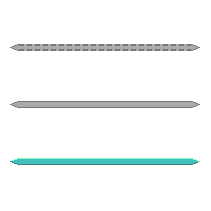
Links disabled, inactive, and active states
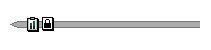
Link with status icons

Link with label
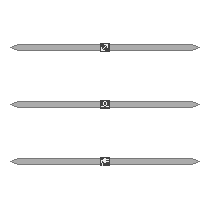
Links showing media attribute
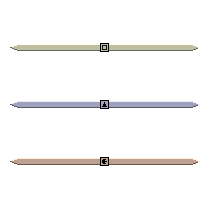
Links showing technology attribute
Generally, the label appears at the center of the link. When the link displays additional information, such as the media icon or alarms, the label is moved either below that information or to the right of it.
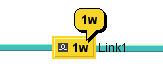
Link with alarm cluster
Link media
The link media is represented with an icon that appears at its center. The following table lists the predefined media icons.
|
Link Media |
Represetation |
Media Name |
|
Communication network |
|
CNET |
|
Fiber |
|
Fiber |
|
Electrical |
|
Electrical |


You can extend this small set of predefined link media using a dedicated API, which is detailed in Customizing link media in the Styling documentation.
Link technology
The link technology is represented by an icon in the center of the link, and a corresponding base color. The following table lists the predefined technology icons and colors.
|
Link Technology |
Representation |
Technology |
Technology Name |
|
Circuit switching |
|
Switching |
CircuitSwitching |
|
ATM/Frame Relay |
|
Switching |
ATM_FrameRelay |
|
Wireless Edge |
|
Edge |
WirelessEdge |
|
IP |
|
IP |
IP |
|
SONET/SDH |
|
Transport |
SONET_SDH |
|
DWDM Optical |
|
Transport |
DWDM_Optical |
|
Multi Layer |
|
Multiple |
MultiLayer |
|
Other |
|
Unknown |
Other |


As this table implies, the default representation uses icons to identify link technologies graphically and colors to group similar technologies together. You can extend this small set of predefined link technologies through the dedicated API or CSS, see Customizing links. Note also that the link technology color is overridden by the primary state color defined by the link object state.
Oriented links
Oriented links provide a representation for links with an arrow at one end or at both.
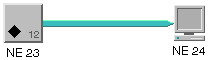
Link with an arrow
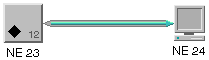
Link with two arrows
The presence or absence of arrows, as well as their graphical characteristics are driven by dedicated CSS properties. (See table CSS properties applying to arrows on link base elements in the Stylingdocumentation.) By default, no arrow is displayed except in the case of links that have an object state of type IltBiSONETObjectState. These links have arrows at both ends with predefined graphical characteristics. For a reference list of the common double SONET states, see Common pairs of SONET primary states .
Self-links
A self-link has both ends connected to the same network element.

Self-link
In a self-link, the origin and the destination are the same. See Link programming examples for an example on how to create a self-link.
For information on how to customize the graphic representation of links, refer to Customizing links.


