Customizing different aspects of network elements
Customizing network element names
You can customize the display of network element names through the following CSS properties:
-
label
-
labelVisible
-
labelFont
-
labelForeground
-
labelBackground
-
labelPosition
-
labelAntialiasing
-
labelSpacing
-
labelWrappingMode
-
labelWrappingWidth
-
labelWrappingHeight
-
labelMargin
-
labelAlignment
-
labelBorderColor
-
labelDirection
-
lineSpacing
-
minLabelZoom
-
maxLabelZoom
-
labelScaleFactor
Refer to Customizing the label of a business object for details on these properties and how to use them.
Customizing network element shortcuts
The shortcut representation is displayed according to the business object CSS configuration. The following properties can be used to customize the shortcut representation.
|
Property Name |
Type |
Default Value |
Description |
|
shortcutIcon |
Image |
ilt_shortcut.png for the standard representation ilt_dangling_shortcut.png for the dangling representation |
Defines the icon to be used in the shortcut representation. |
|
shortcutIconVisible |
boolean |
true |
Defines whether the shortcut icon is displayed or not. |
The result is shown in the following images.

Standard shortcuts
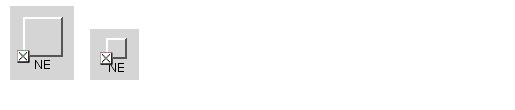
Dangling shortcuts
Customizing partial network elements
The partial representation is displayed according to the business object CSS configuration. The following properties can be used to customize the partial representation:
-
partialIcon: This property defines the icon that is used in the partial representation. By default, the image ilt_partial.png available in the distribution is used.
-
partialIconVisible: This property defines whether the partial icon is displayed or not.
The result is shown in the following images:

Partial network elements expanded and collapsed
Customizing network element states and alarms
Refer to Customizing object and alarm states of predefined business objects for information on how to customize the network element representation when it contains states and alarms. The information that you will find in that section is valid for all IltObject classes.
Customizing network element tooltips
You can customize the display of network element tooltips through the following CSS properties:
-
toolTipGraphic
-
toolTipText
Refer to Changing the font of all labels for details on these properties and how to use them.
Adding new decorations to network elements
You can add new decorations to the predefined business objects representation.
For details, refer to How to add new decorations to network and equipment nodes.


