Using the Multithread Monitor
You can display the tasks in progress in the Multithread Monitor pane and cancel a task if you no longer want the currently loading data source.
To display the tasks in the Multithread Monitor pane:
-
Double-click the pane at the lower right corner of the Map View.
The following figure shows an example of the Multithread Monitor pane.
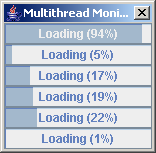
The Multithread Monitor pane
To stop the task in progress:
-
Click the
 button in the upper left corner of the Map View.


