File System Access
The Objective Toolkit file system class provides access to common file system functions, such as reading a directory or copying a file. The class also encapsulates parsing and CStringList methods.
SECFileSystem
SECFileSystem is a class that allows you to access common file system functions such as retrieving general information about files and directories, reading directories, copying files, and more.
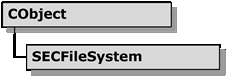
The Objective Toolkit File System Class Hierarchy
Using SECFileSystem
SECFileSystem can help create code for the following tasks. Please see the Objective Toolkit Class Reference or online help for a full list of methods for this class.
To copy a file
Call the CopyFile() method. For example:
SECFileSystem fs;
BOOL bRetVal = fs.CopyFile("foo.txt", "a:\\bar.txt");
To copy multiple files
Call the CopyFiles() method. For example:
SECFileSystem fs;
BOOL bRetVal = fs.CopyFiles("c:\\foo\\bar\\*.txt", "c:\\foo2");
To compare two files
Call the CompareFiles() method. For example:
SECFileSystem fs;
BOOL bRetVal = fs.CompareFiles("foo.txt", "bar.txt", 20480);
To delete a file
Call the DeleteFile() method. For example:
SECFileSystem fs;
BOOL bRetVal = fs.DeleteFile("c:\\foo.txt");
To delete multiple files
Call the DeleteFiles() method. For example:
SECFileSystem fs;
BOOL bRetVal = fs.DeleteFiles("c:\\foo\\bar\\*.txt");
To get information about a file
Call one of the following methods:
GetFileAttribute()GetFileStatus()GetFileModifyTime()GetFileAccessTime()GetFileSize()
For example:
SECFileSystem fs;
BOOL bRetVal = fs.GetFileAttribute("c:\\test.txt", bAttr);
To parse filename information on a file
Call one of the following methods:
GetFullPathName()GetBaseFileName()GetExtension()GetFileName()GetFileSystem()GetPath()
For example:
SECFileSystem fs;
CString strPath;
strPath = fs. GetFullPathName("c:\\test\\.\\..\\foo\\bar\\what.txt");
ASSERT(Path == "c:\\foo\\bar\\what.txt");
To get a list of files in a directory
Call the GetDirectory() method. For example:
SECFileSystem fs;
CStringList *pDir = fs.GetDirectory("*.txt", SECFileSystem::normal, TRUE);
fs.GetDirectory("*.doc", normal, TRUE, pDir);
To create a directory
Call the MakeDirectory() method. For example:
BOOL bRetVal = fs.MakeDirectory("c:\\foo\\bar");
To change the working directory
Call the ChangeDirectory() method. For example:
BOOL bRetVal = fs.ChangeDirectory("c:\\foo\\bar");
SECFileSystem Sample
The Objective Toolkitfiledemo sample (Samples\Toolkit\MFC\Utility\filedemo) demonstrates the use of the SECFileSystem class. This sample does not ship with the product. For information on how to obtain this sample, see Location of Sample Code in the Getting Started part.


