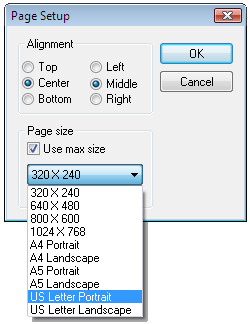
PageSetup Dialog
The page setup dialog, PageSetup, contains a check box labeled Use Max Size. None of the other controls are enabled until this box is checked; then users can select from a variety of sizes for the output rectangle, including the standard paper sizes. If the selected size is smaller that the paper size, users can also choose to align the chart to the Top, Center or Bottom of the page vertically and the Left, Middle, or Right of the page horizontally.
Page Setup Dialog Box