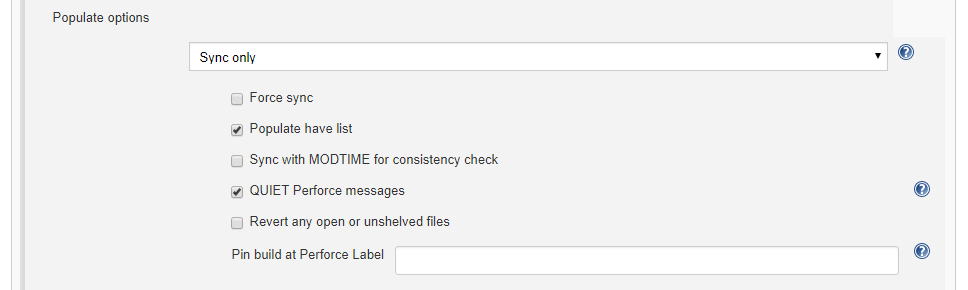
Sync only
Use this option if you are working within a custom-built environment and wish to preserve existing files. No cleanup operations will be performed, and all files will be forcibly updated to match the specified revisions (as CLOBBER is set).
This option is ideal for incremental builds and is commonly employed in automated pipeline workflows.
Configure Sync only with the following options:
- Force sync: Replaces the workspace files.
- Populate have list: Overwrites the Perforce "have list". The "have list" records which files have been synced to the workspace. This is usually used when you are not force syncing and only want the next sync to transfer the changes made since the last time the workspace was synced.
- Sync with MODTIME for consistency check: Preserves the modification time of files during the sync operation.
- QUIET Perforce messages: Enables the -q flag for all applicable Perforce P4 Server operations. Summary details will still be displayed.
- Revert any open or unshelved files: Used to undo any changes made by previous builds based on P4 Code Review reviews or changes made manually within Perforce.
- Pin build at Perforce Label: When a build is triggered by Polling, Build Now, or an external action, the workspace will only sync to the Perforce label in this field. Any other specified change or label will be ignored. Supports variable expansion, for example ${VAR}. If now is used, or a variable that expands to now, the latest change is used (within the scope of the workspace view). For more information about environment variables, see Variable Expansion.