Install P4EXP
P4EXP requires Windows 10 and above.
To install P4EXP, follow these steps:
-
Download P4EXP from the Perforce website.
-
Run the installer package.
-
In the installer dialog window, enter the following P4 Server credentials:
-
Server - For example,
perforce:1666 -
Username - Your P4 Server username.
-
-
Click through the installer dialog window to complete the installation.
-
Restart windows to complete the plugin integration.
Check if P4EXPinstalled
After you have installed and restarted windows, right click on any file to see the P4 Plugin.
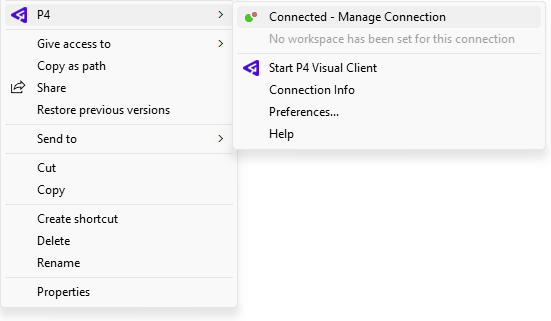
If you are using Windows 11, in the right-click menu, click See more options to view the P4 Plugin.