Reviewing changes
P4 Code Review is a code review tool that allows you to review changes and collaborate with project members. The Eclipse integration enables you to create a new review or update an existing review from the P4 Pending Changelists and P4 Submitted Changelists views.
When reviewing changes within Eclipse, please note the following:
- Web Application: P4 Code Review must be deployed within your organization and accessible to both P4 Server (P4D) and the desktop machine running Eclipse.
- Server: P4 Server (P4D) must be 2015.2 or later and have the
P4.Swarm.URLproperty defined. For details, see Client integration in the P4 Code Review Documentation. - HTTPS Certificates: If your P4 Code Review server is using a Self Signed or invalid Certificate, Eclipse will not attempt to communicate with P4 Code Review. If you choose to trust the connection, you will need to check the Ignore SSL Validation box in the Perforce connection dialog.
Creating a review
You can create a new a review from the content menu on a Pending or Submitted changelist The changes to files or stream specifications along with metadata, such as the list of changed files, their version numbers, the submitter of the changelist, and the submitter's description of the changes. A changelist is the unit of versioned work..
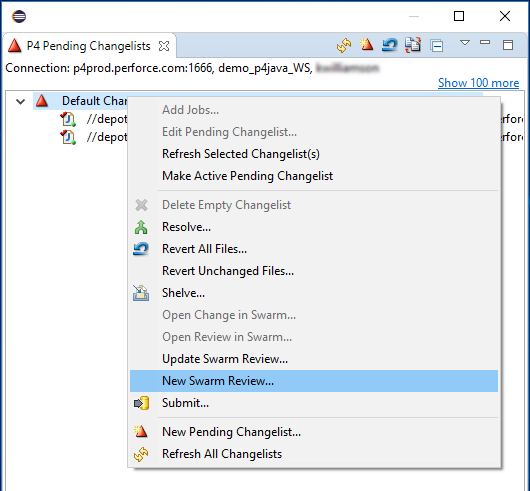
- From the P4 Pending Changelists or P4 Submitted Changelists view, right-click on the changelist and select New Swarm Review....
- You now have two options depending on what sort of changelist you are working with:
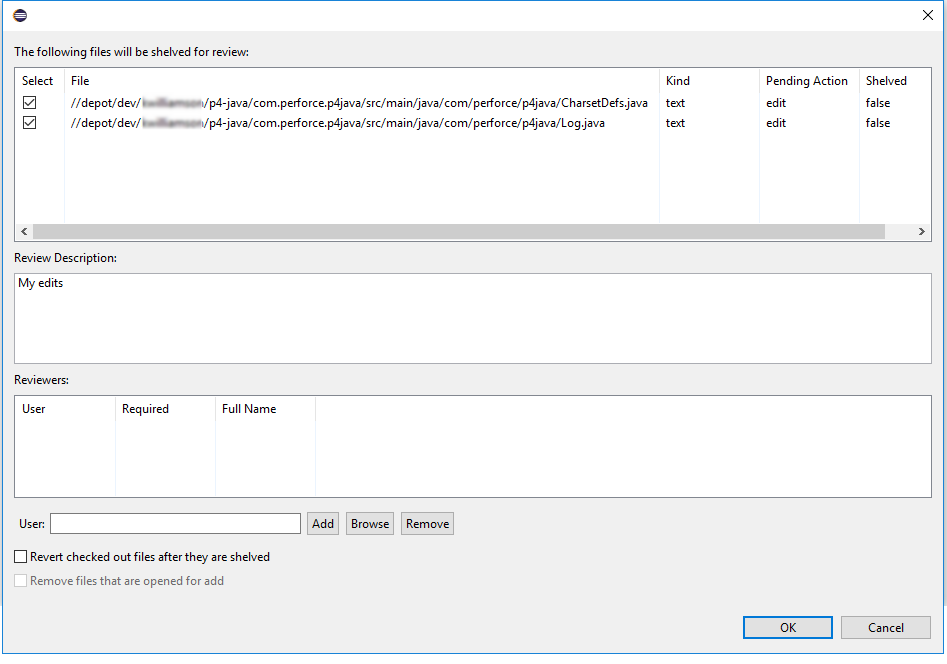
- For a Pending changelist, choose the files you wish to shelve for a review, enter an optional description.
- For a Submitted changelist, just enter an optional description.
- Select the users you want to include in the review.
- Select the following options, if required:
- Revert checked-out files after they are shelved: Reverts the files in your workspace to the head revision in the depot.
- Remove files that are opened for add: If you do not want P4 for Eclipse to remove these files from the file system when they are shelved, make sure to clear the Remove files that are opened for add check box.
- Click OK to create the P4 Code Review review.
By default, when this option is selected, P4 for Eclipse also removes any files that are marked for add in the changelist from the file system when they are shelved. See below for details.
Updating a review
- From the P4 Pending Changelists view, right click on the pending changelist and select Update Swarm Review....
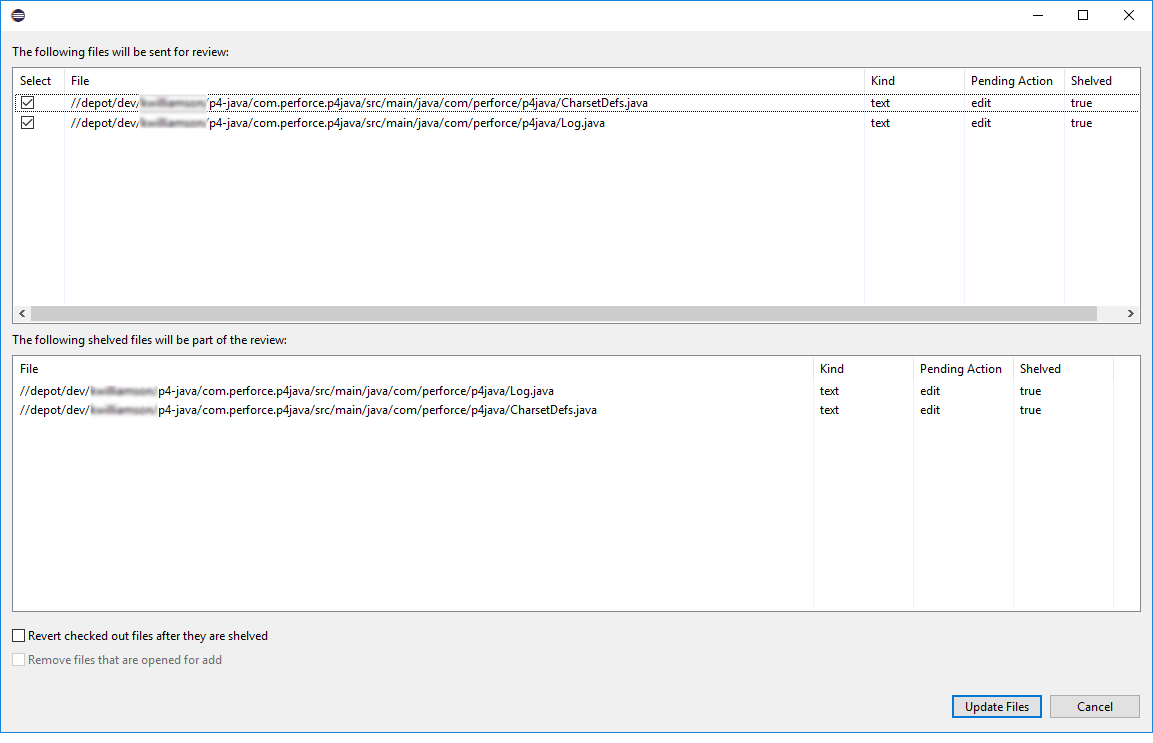
- Select the pending files to update the review
- Select the following options, if required:
- Revert checked-out files after they are shelved: Reverts the files in your workspace to the head revision in the depot.
- Remove files that are opened for add: If you do not want P4 for Eclipse to remove these files from the file system when they are shelved, make sure to clear the Remove files that are opened for add check box.
- Click Update Files to update the P4 Code Review review.
By default, when this option is selected, P4 for Eclipse also removes any files that are marked for add in the changelist from the file system when they are shelved. See below for details.