 in the search field to clear the results. To find a file in the workspace on the computer, right-click it and choose Open Containing Folder.
Organizes test data, including scripts, batches, and data sources. If a main script is set for the workspace, the script name is displayed in bold.
To work with an item in a workspace, double-click it to open it in the Script pane.
Tip: To quickly find an item in the workspace, search for it by name. Click in the search field to clear the results. To find a file in the workspace on the computer, right-click it and choose Open Containing Folder.
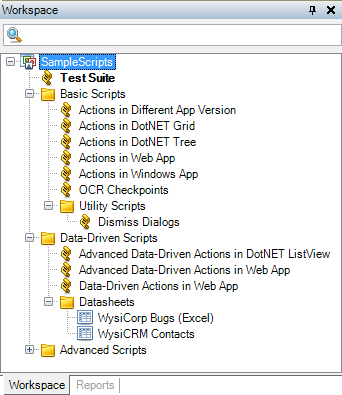
New workspaces include the following default folders.
| Folder | Used to organize: |
|---|---|
| Scripts | Script files used to run tests |
| External Datasheets | Input data from external sources |
| Local Datasheets | Input data maintained in QA Wizard Pro |
You can rename the default folders or create new folders to group related scripts, datasheets, batches, and any other test files in the workspace.
    |

|