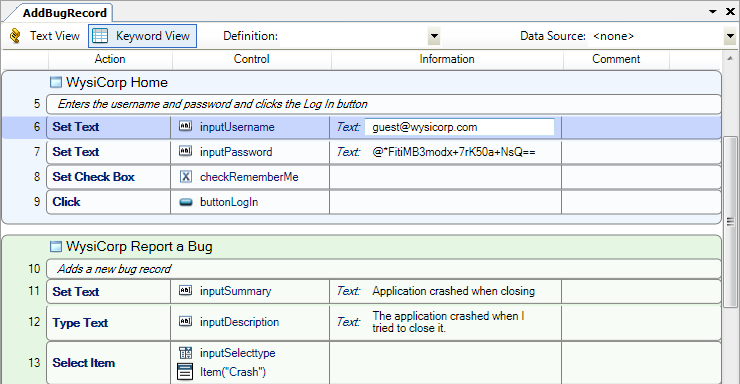
The Script pane is the main area where you work with scripts, reports, and datasheets. This pane includes a Keyword View and Text View.
Keyword View displays scripts in a grid format. Actions are grouped by the window they are performed on.
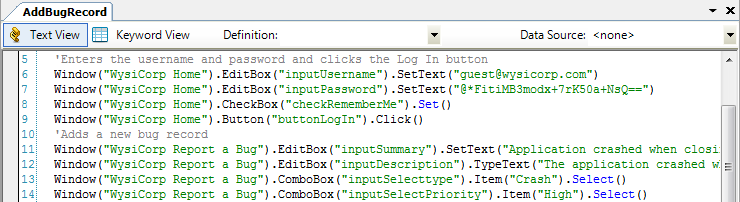
Text View displays scripts in a text-based editor. Text View also provides access to the scripting language, which makes it easy to create and edit statements, modify scripts, and add advanced logic to scripts.
 Working with multiple items
You can open multiple scripts, datasheets, and reports to work with them at the same time. Use the following options to navigate between open items.
 in the upper-right corner of the pane. Select an item from the list to view it. To go to the previous or next open item, click
  or
or  .
.

 in the upper-right corner of the pane to close the open item.
    |

|