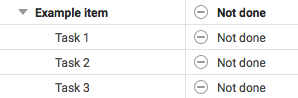
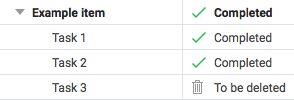
Every item has a status, such In progress, Blocked, Not done, To be deleted, and Completed. You can change the status of an item from the Planning view, by double-clicking in the Status column.
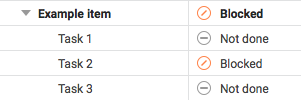
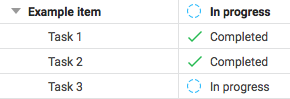
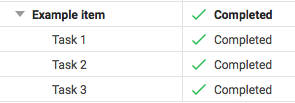
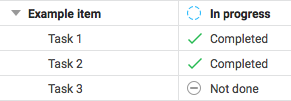
The status of an item or sub-project will automatically update to match the statuses of any items it contains. The following examples illustrate how this works.
- If any sub-item is Blocked - The item is Blocked
- If any sub-item is In progress - The item is In progress
- If all sub-items are Completed - The item is Completed
- If at least one sub-item is not Completed - The item is In progress
- If all sub-items are Not done - The sub-project is Not done
- If a sub-item is To be deleted - The item will be given a status based on the other sub-items, ignoring the ones set as To be deleted